.png?width=200&height=59&name=Sherlok%20Logo%20-%20black%20writing%20%26%20Transparent%20(1).png)
Uploading your compliance documents ensures that Instant Apply is compliant and up to date.
NOTE: If your Credit Guide and Privacy Policy are already hosted on your website, you can skip straight to Step 3.
Step 1: Download Your Credit Guide and Privacy Policy
You can download your Credit Guide and Privacy Policy from the Integrations section of Broker Engine.
-
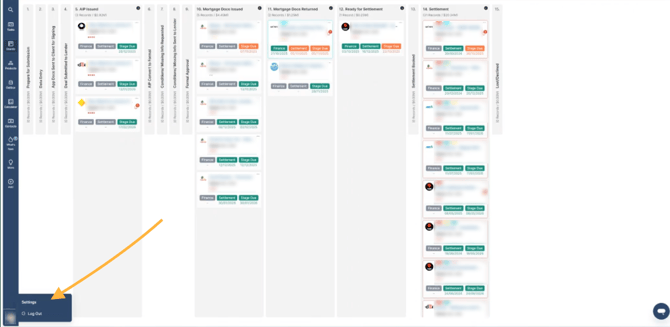
Click your profile icon in the bottom-left corner and select settings
-
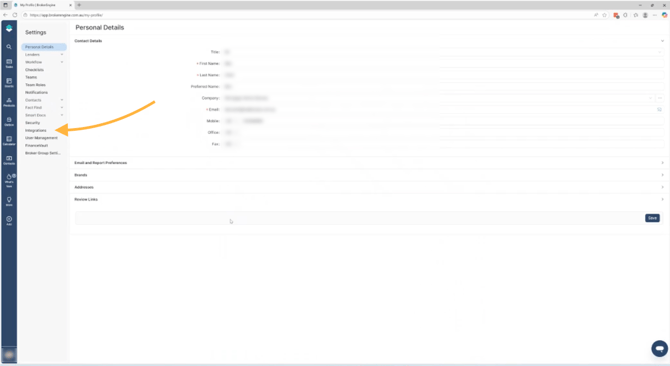
Click Suite 360 Integrations
-
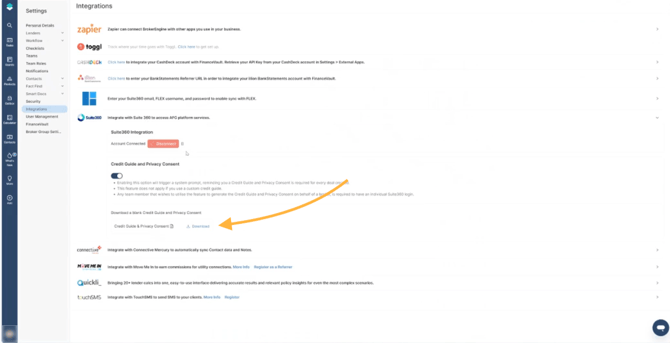
Download your Credit Guide and Privacy Policy
Step 2: Create a Public Link for Sherlok
Sherlok requires a public URL to your documents. To do this, upload the files to a cloud storage service such as Google Drive, OneDrive, or Dropbox.
- Upload your Credit Guide and Privacy Policy PDFs to your chosen drive
- Copy the link to each PDF
- Ensure the sharing settings allow anyone with the link to view
Note: This step can vary depending on the storage provider you use, which is why screenshots are not included.
Step 3: Add the Link to Sherlok
Once you have a public link, add it to Sherlok.
- In Sherlok, click your name in the top-right corner
- Select Control Panel
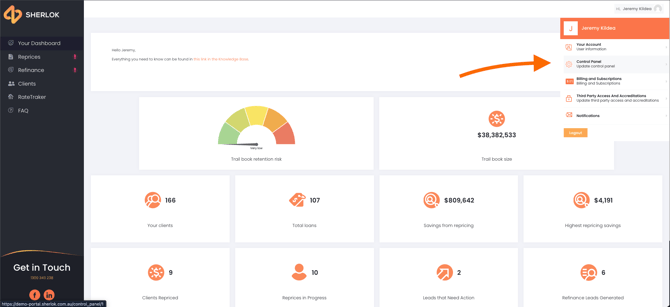
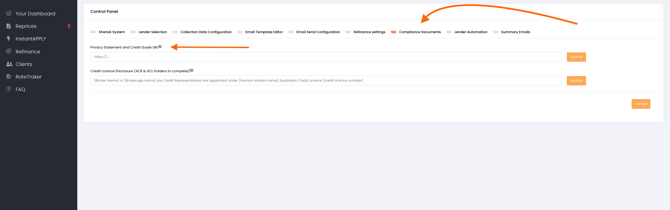
- Click Compliance Documents
- Paste the link into the “Privacy Statement and Credit Guide URL” field
- Click Update